Power forward
RinkLog preset
HockeySkaterClassicShiftsPeriodsGoalie part
17
Votes42
Downloads23
Used byEverything you need to get started with RinkLog, step by step, no guesswork.
We create a player, build a RinkBuddy, track a real game live and walk through the player profile. No account needed to watch, and the written guide below covers the same steps one by one.
Narrated in French, with English subtitles on YouTube. A shorter guided tour in English is available on the Video page. Watch the tour
Eight steps, from your first click to advanced statistics.
Sign up for free in seconds, no credit card required.
Name, number, position, team and season. Also pick the sport: Hockey, DekHockey (3v3/4v4/5v5 format) or Ringette. Each sport adapts the surface, markers and stats (e.g. in Ringette, blue-line passes replace faceoffs). The free plan includes one player.
Choose which stats to track during a game. The "With/Without shifts" toggle lets you track only what matters to you (e.g. hits) without managing ice time at all. Have a DekHockey or Ringette player? Try the sport switch just above the board below: the surface and buttons adapt to the sport. In Ringette, blue-line passes appear and faceoffs disappear (replaced by free passes). Two more per-player options: "Track periods" and "Track duels" (penalty shots, shootouts), detailed below. This module is interactive.
Try all four materials here: in the app they are reserved for the Franchise and Club plans.
Add a stat
The colors, sizes and order chosen here are exactly what you will see during the game.
Rearrange it all. Nothing's fixed.
Five styles skin the board buttons: Classic (open to everyone), then four Franchise and Club exclusives: Electric with its lightning arc that orbits and sizzles on touch, Liquid glass that lets the rink show through, workshop-grade brushed Steel, and Blade, real stick wood with tape wrapped in each stat's color. It's a per-player choice, independently: your forward can play on electric while your goalie keeps the wood. It all happens in the RinkBuddy Builder, with a live preview.
Each player gets their own style, picked in their RinkBuddy Builder.
During the game, one giant button starts/stops the shift, and every stat is logged with a simple tap. Made a mistake? Hold the same button down: a ring fills in, and once it's full it removes the last entry for that stat, with an on-screen confirmation. Simple enough for a parent in the stands, no menu to hunt through to correct yourself.
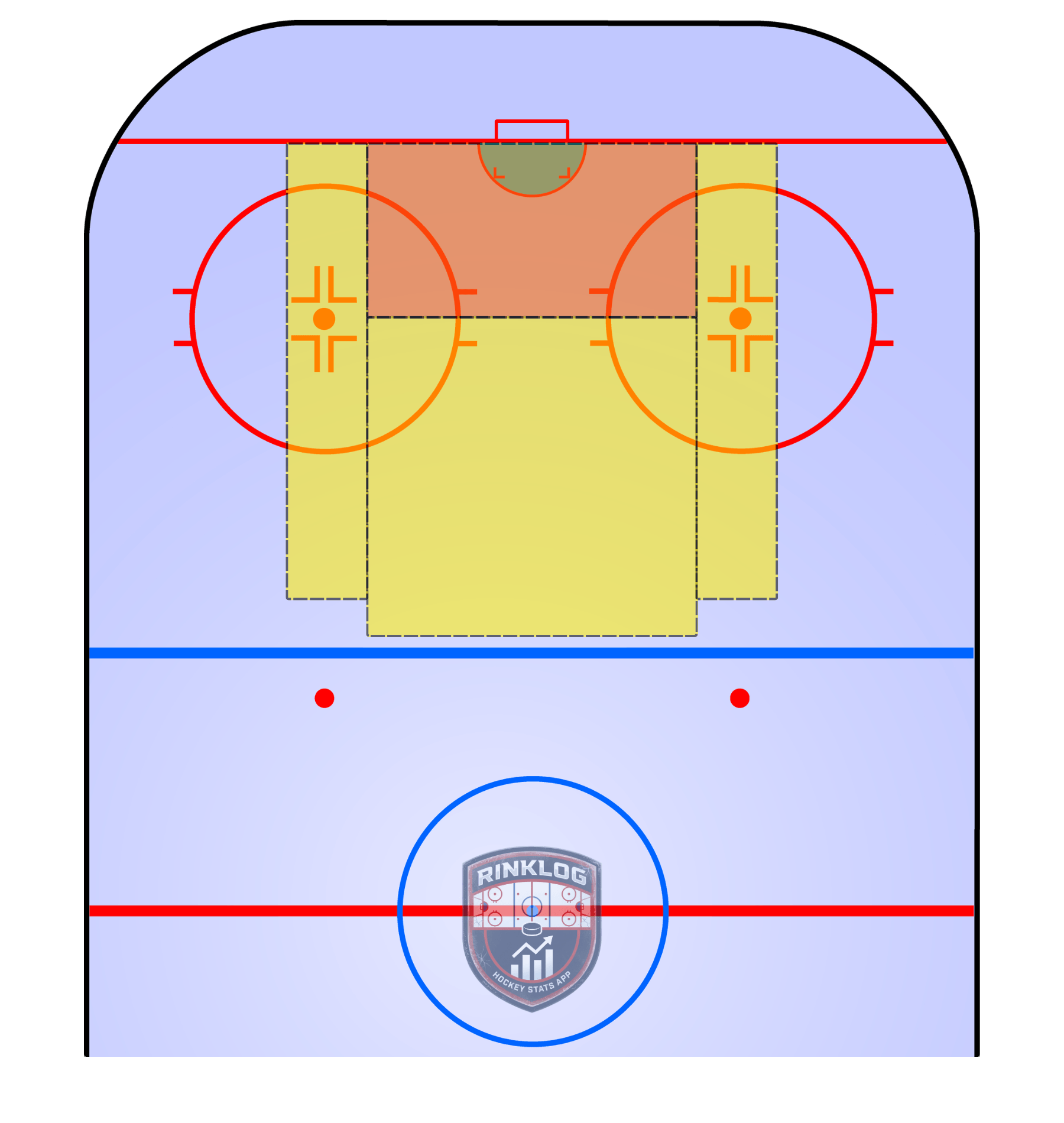
Tapping "Goal" opens two steps: first where the shot came from on the half-ice map (with shot type), then exactly where the puck went in the net. Both are optional: "Skip" still logs the goal. The assist is its own button: one tap per passer, during that same stoppage. Logged a wrong goal or an extra assist? The same long-press as everywhere else removes the last entry, net position included.
Where did the shot come from?
Tap the ice to place
Won or lost, a faceoff opens a small rink with the 9 official dots: offensive, neutral or defensive zone, left or right side. It surfaces whether a player wins more on one side than the other, a useful signal to cross-reference with their handedness. For a center, the AI report makes sure to bring it back up at least every other report if an imbalance shows up. A long press on "Won" or "Lost" removes the last faceoff logged.
Where was the faceoff taken?
Tap a spot on the rink
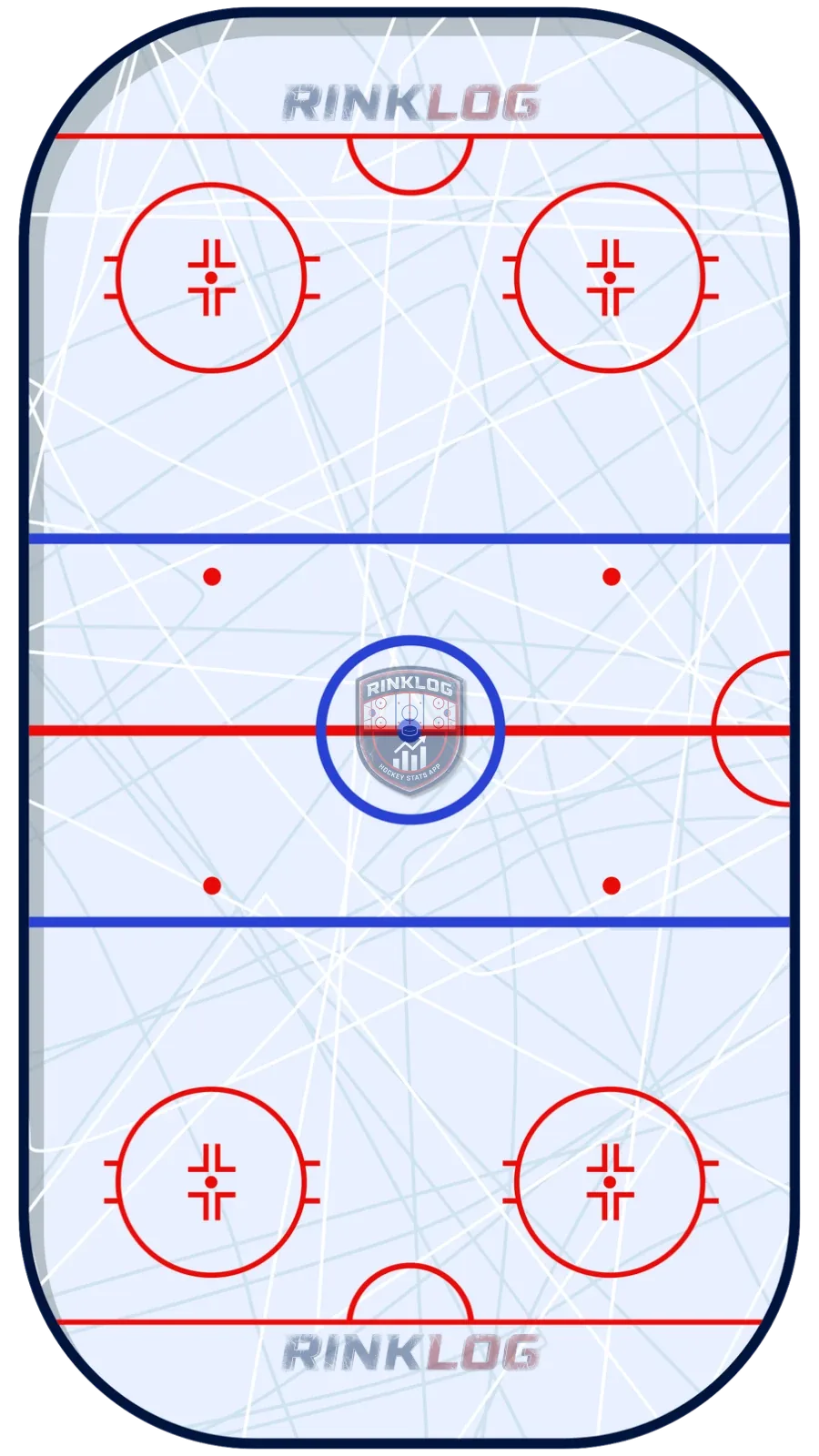 Offensive zoneNeutral zoneDefensive zone
A goalie's RinkBuddy is different: a period selector, EV/PP/PK situation, and a half-ice map where every save is placed with a tap (shot type, then frozen or rebound, plus clear completed or intercepted in ringette). A goal against opens the same two-step flow as a skater's goal (shot origin, then net position). Save percentage recalculates live as the game goes. Same rule to fix a mistake: a long press on Save or Goal against removes the last entry.
Tap the ice · Save with position
A per-player option, in the RinkBuddy: "Shot location". Off, the shot buttons stay simple counters. On, tapping "Shot on goal" or "Missed" opens the ice map to place the shot and pick the shot type, just like a goal. You then get a colored shot map (on goal in green, missed or blocked in amber), an accuracy percentage and a danger-zone breakdown on the player profile. Your choice: simple counter, or detailed tracking with a heat map.
A per-player option, in the RinkBuddy: "Track periods". During stoppages, an "End of the 1st period" button opens an intermission screen: the game clock freezes (intermission is never counted), the period is summarized, then "Start the 2nd period". Every stat is tied to its period, the main button carries a badge of the current period (P1, P2, P3, P4 or OT, depending on the number of periods chosen at creation), and a period ended by mistake is undone with one tap. Forgot to end a period? After the game, in "Edit game", tap the shifts and move them to the right period: the ones after them that sat earlier follow, with their stats, and earlier ones placed further along move back. Without a shift list (a game before September 13, 2026, a goalie, ice time not tracked), you move the stats themselves. On the profile, the "By period" section shows where the game is really played, and season charts gain a Total / Periods toggle.
Every stat is tied to its period.
Penalty shots and shootouts, with the RinkBuddy's "Track duels" option. A purple button appears during stoppages: place the move on the ice (high shot, low shot, forehand deke, backhand deke), pick the outcome (goal, save, missed), then the net zone for a goal or the goalie's piece of equipment for a save. Duels are counted apart, like in the NHL: they never change season goals or shots. The profile gains a "Duels" section: success by move, net map and, for goalies, efficiency by piece.
Counted apart: never in season goals.
Two buttons to add to the RinkBuddy, with no option to turn on: the button itself is the switch. "Battle" opens the full rink, offensive zone in green and defensive zone in orange: tap where the puck battle happened (you cannot land outside the boards), then a four petal flower asks how it ended, won physically, with the stick, with speed, or lost. Two taps and it is recorded, zone included. What matters is not only that it was won, it is HOW and WHERE: two players with the same win rate do not have the same profile. The player page gains a "Battles" section with the win rate, the share of each means in those wins, the win rate in each of the three zones and the percentage fought along the boards. Like duels, they are counted apart and never change season averages. "Hard backcheck" is simpler: one tap per sustained defensive return, counted on the effort made rather than the result, because that is exactly the work that leaves no trace on a scoresheet. Both exist in all three sports, since a backcheck and a battle are not hits.
What matters: HOW they are won.
Turn on "Shift ratings" in the RinkBuddy Builder. After every shift, a white card appears on the bench with three rows of five stars: Offensive (play creation, offensive battles won, presence in the attacking zone), Defensive (plays and players blocked, defensive battles won, backchecks) and Intensity (intensity, physical engagement, skating). One tap per row, nothing to confirm, and the next shift folds the card away. The scale is relative to the player: 3 = their usual, 4 above, 5 a perfect shift. Nothing is required, an unrated shift counts in no average, and a miss is fixed from "Edit game". The profile gains a "Shift ratings" section: the three last game averages for everyone; in Premium, the season, a three line shift by shift curve and per period averages.
3 = their usual. An unrated shift does not count.
A board that works deserves to be shared. In the RinkBuddy Builder, save your board as a preset, open it and tap "Make public": a title, a signature, and it shows up in the community gallery (rinklog.com/en/presets, and the Community tab of the Builder). Others apply it with one tap, free plan included: buttons, colours, style and options. Every preset shows its votes, its downloads and how many boards use it as is. A board that came from the community stays neon green in the Builder until you change it. Publishing is for paid plans.
RinkLog preset
After the game: full summary, recent trend, badges and stats, for skaters and goalies alike.
Your account unlocks medals as you play: over 100 trophies to collect (games, goals, assists, hits, shutouts, penalty-kill minutes, hat tricks…). Each medal has a level (I, II, III…) and a rarity based on the share of members who earned it: Common, Rare, Epic, up to Legendary (reserved for 2-to-3-season feats). Find your whole trophy case under "Settings" then "Trophies", and a little animation celebrates every new unlock.
A tournament or playoffs with the same team? Choose the type when starting the game. Those stats stay separate from your regular-season progression.
Paste the team's iCal address (Spordle, TeamSnap, Google, Apple, Outlook) in the player profile: upcoming games come in by themselves and refresh every night. The other way, a private link sends your games, practices and sharpenings to Google, Apple or Outlook, grandparents included. In the app, a reminder fires 30 minutes before every game. The complete guide, platform by platform: rinklog.com/en/guide/calendar.
Game · vs Huskies
Wed 26 · 7:30 pm
Practice · J.-Béliveau Arena
Mon 24 · 6 pm
Sharpening · Pro Shop
Thu 27 · 5:30 pm
The RinkBuddy Builder shows your board first: tap a button to change its size, drag it to move it, and add statistics from the list below. Then come the RinkBuddy options, one per line: shift tracking, shot location, periods, penalty shots and shootouts, and for a goalie the equipment piece. Each line says in a word what the option changes; tapping its name opens the explanation of both modes. An option never decided shows as "To choose", and the first time, they are presented to you one by one. "Done" only closes once every option is answered, so nobody misses what matters.
Bars, trends, SCF%, iCF, PDO, and heat-map shot zones. Available on Premium and Franchise, for deeper analysis.
With the Manual Match Sheet (button under "Start a match"), enter the game's totals: goals, assists, shots, hits, etc., instead of tracking each event live. It counts fully toward your season stats. The only difference: these games stay out of game-by-game charts, since there's no event-by-event detail to plot.
A player's profile is always Private by default. The "Manage visibility" button (eye icon on the profile) offers 4 modes: Private, Public complete (indexed by Google, listed in the directory), Public restricted (chosen sections, not indexed) and Link only (reachable only with the exact link). A public profile also shows up in the "Our players" search directory.
On a public profile, a shield (levels 1 to 5) signals how rigorous the entered data is. It's not a fact-check, but a statistical plausibility score based on realistic per-game rates, plus a weekly AI review. The more games logged and the more comfortable the plausibility margin, the higher the level climbs, up to the legendary tier.
An AI-generated analysis report for each player, automatically, monthly or every 5 to 10 games. Verdict, strengths, concrete areas for improvement, comparison to the season average, and memory of previous reports to track real progression. Delivered by email and in the app.
A friend, the other parent, a grandparent or your own kid can record in YOUR account, each with their own login: that is multi-access, and no password to share. From "Settings", "Account members", you create an invitation (by email, or a link you share yourself) valid for 7 days and usable once. Only one role can be invited for now, Guest, with a more limited Player role coming: a guest sees and records everything, except five actions that stay yours, deleting a player, managing the account members, managing the subscription, making a player public (and sharing it in the community) and exporting the account data. Seats depend on the plan: three with Premium, five with Franchise, ten with Club, on top of you. The invited person keeps their own account and moves between the two with the "Switch account" selector; a banner keeps reminding them which account they are writing in. An access is removed in one tap, and what they recorded stays with you. The complete guide: rinklog.com/en/guide/members.
While one account member tracks the game at the rink, the others follow it LIVE, on a computer or a phone, without being there: the other parent at work, a grandparent at home, a friend. That is the live game feed, built on account members. Where you come in: as soon as a game in the account is active, a red LIVE banner appears at the top of "My players", and the player card gains a red "Follow live" button, right next to the green one that opens the tracker's RinkBuddy. What you see: the followed player's card with their full line just like their profile, points, goals, assists, +/-, shots, hits, blocked shots, scoring chances, faceoffs, the current period and how many people are watching; a pill that says at all times whether he is "On the ice" or "On the bench", so you know whether a play is coming or not; then every action the moment it is logged, with its detail spelled out, the shot type and its danger zone, the zone and side of a faceoff, the goalie's piece of equipment on a save. Tap a line and its detail opens: a goal is shown in the real net, at the exact spot the puck went in, with the half-ice map the shot came from. A power play or a penalty kill is grouped in a box in the RinkBuddy's colors, cyan for the power play, purple for the kill, with the "for M:SS" counter that tells you whether the penalty should be over. Shifts starting and ending cut the feed at the right moment, shift stars included, and the end of a period is spelled out. The tracker can also keep both teams' score, with one tap on a strip of their RinkBuddy (a 1.5 second hold or a swipe down fixes a mistake; the Builder's "Keep the score" option shows it for the whole game, or only once someone is following): the score then sits big at the top of the card, the numbers roll on every goal, the scoring team lights up in green and a "Goal" pill drops into the feed. The followed player's goal bumps the score on its own. At the end, the feed closes with the game result. It is a paid-plan feature, built on account members: Premium follows 2 games live per account, Franchise and Club with no limit, the free plan has no access. Starting October 21, 2026, the mobile app (iPhone and Android, version 1.0.15 and up) also alerts you when the feed is closed: each person picks their notifications, goals, assists, hits, faceoffs, scoring chances or everything, and for which players, in Settings, then Notifications, or with one tap on the feed's Notifications button. One notification per goal, and never for the person tracking. They follow the feed's rights: Franchise and Club for every game, Premium for its 2 games followed live.
Where you come in · My players
or, on the player card:
Léo Tremblay
2
Points
1
Goals
1
Assists
0
+/−
Tap a line for its detail.
As soon as your subscription is active, a personal code appears under "Settings", "Referrals", and in the Offers tab of "My players". The family you invite gets 30 days of the full Franchise plan, free and with no credit card. When they take a paid subscription, your reward fires on its own: on the first one, a Premium subscriber gets the Franchise plan until their renewal; on the third, their annual renewal is free. The counter separates people signed up from people who became subscribers, because the 30-day gift comes before their first payment.
A statistic can be a mirror or a hammer. RinkLog is built for the mirror: showing a young player their own curve, never comparing or judging them.
There's far more than a goal or an assist: ice time, hits, a shift with zero goals against, a scoring chance created. It's not always easy to see, especially early in the season, but the progress becomes clear over time.
Tap a term to open its definition.
Number of games the player took part in.
The player shoots or deflects the puck into the opposing net. The breakdown shows even-strength (EV), power-play (PP) and short-handed (SH) goals.
Awarded to up to two players who touched the puck right before the scorer (the last pass = primary assist).
A player’s goals + assists combined (1 goal + 1 assist = 2 points).
A shot that would enter the net if not stopped: it ends as a goal or a goalie save. The % = goals ÷ shots.
+1 when on the ice for an even-strength or short-handed goal by your team; −1 for such a goal by the opponent. Power-play goals don’t count.
A legal body check that separates an opponent from the puck. Only counted against the puck carrier.
The player blocks an opponent’s shot with body or stick before it reaches the goalie. That shot is then not a “shot on goal”.
Total time spent on the ice during the game (sum of shifts). “avg” = average per game.
A faceoff after which the player’s team gains possession of the puck. The % = won ÷ (won + lost).
What it's for: shows whether the team controls play in high-danger zones (slot, crease, in front of the net) during the player's shifts, independent of goals scored.
SCF% = Team chances ÷ (Team chances + Opponent chances) × 100
What it's for: measures the player's individual offensive involvement, regardless of linemates. How many shot attempts they personally generate.
iCF = Shots on goal + Missed shots + Blocked shots (normalized /60 min of ice time)
What it's for: flags luck. It always averages to 100, so a number far from that signals a lucky or unlucky streak that will regress, not a real change in skill.
PDO = (Goals for ÷ Team chances + Goals saved ÷ Opponent chances) × 100
Free forever. Upgrade to Premium, Franchise or Club when you're ready.
 14.99 $ USD / yr
Go deeper
Every statistic in this guide has its own Academy page, with the formula and a worked example: